
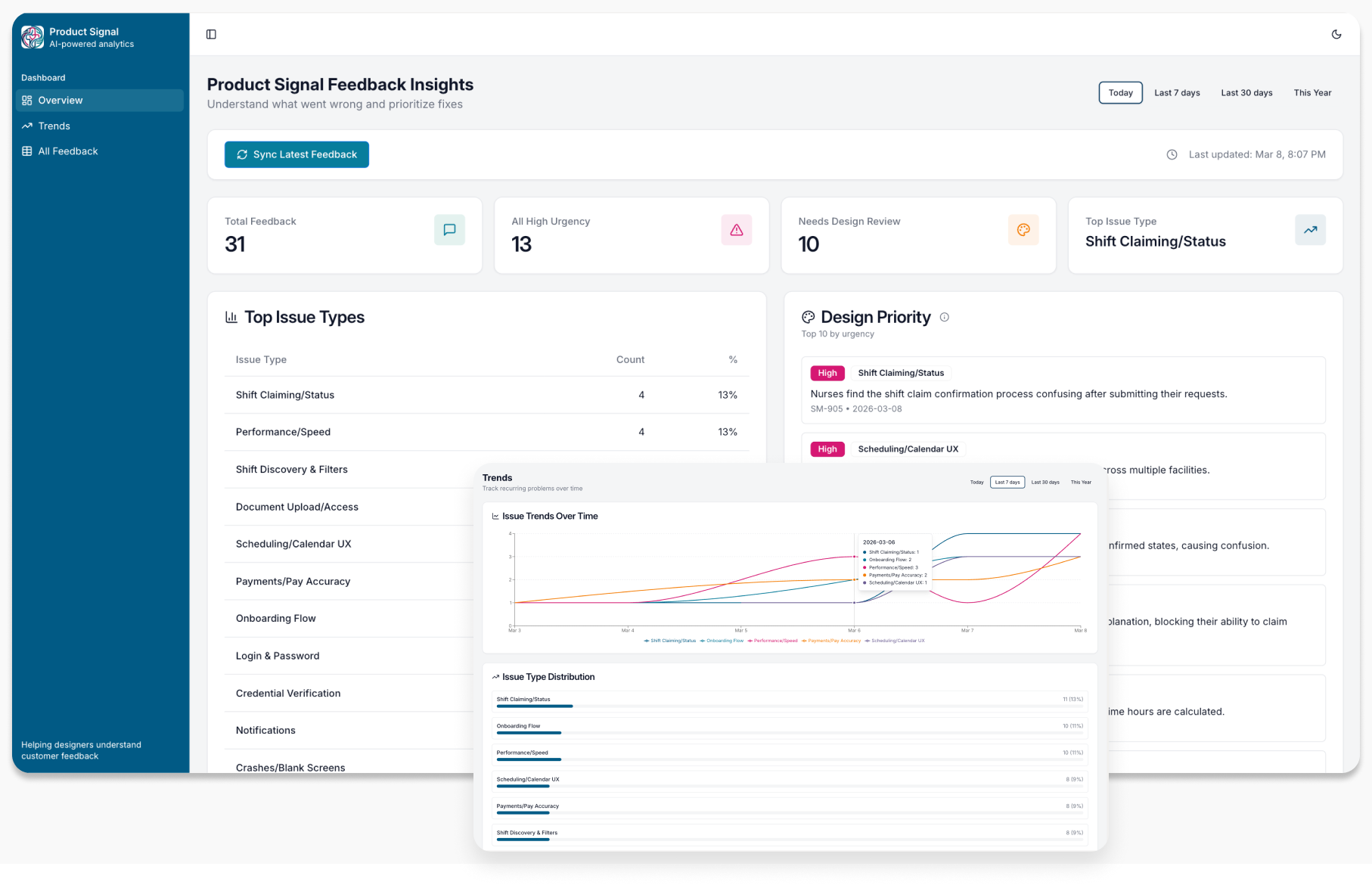
Product Signal Dashboard
AI-powered normalization and prioritization of customer feedback.
Background
While working in healthcare and enterprise SaaS environments, I saw how customer feedback flows in constantly through Slack, support tickets, app store reviews, and internal channels. Valuable signals were often buried inside repetitive and unstructured conversations.
As a designer and researcher, I wanted a better way to consolidate these streams, reduce interruption and surface patterns that could inform product decisions.
Project overview
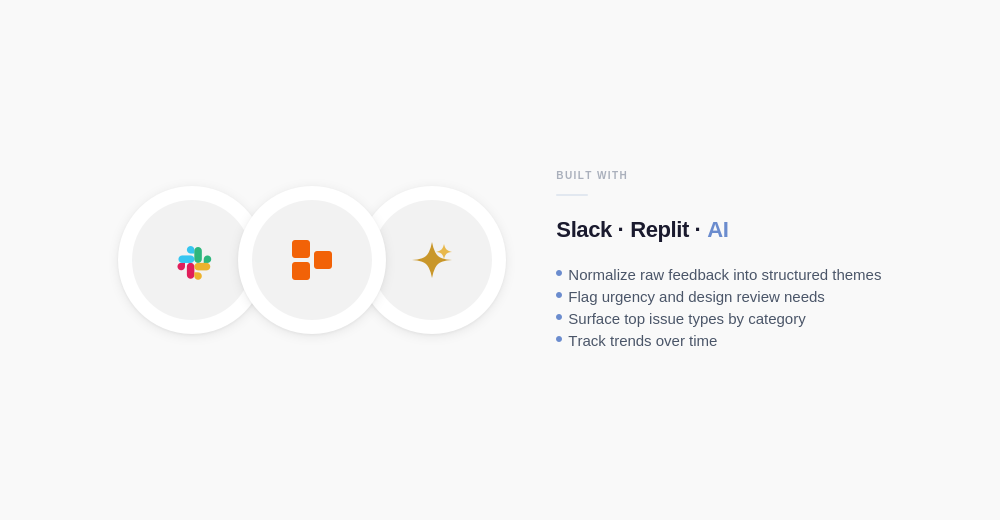
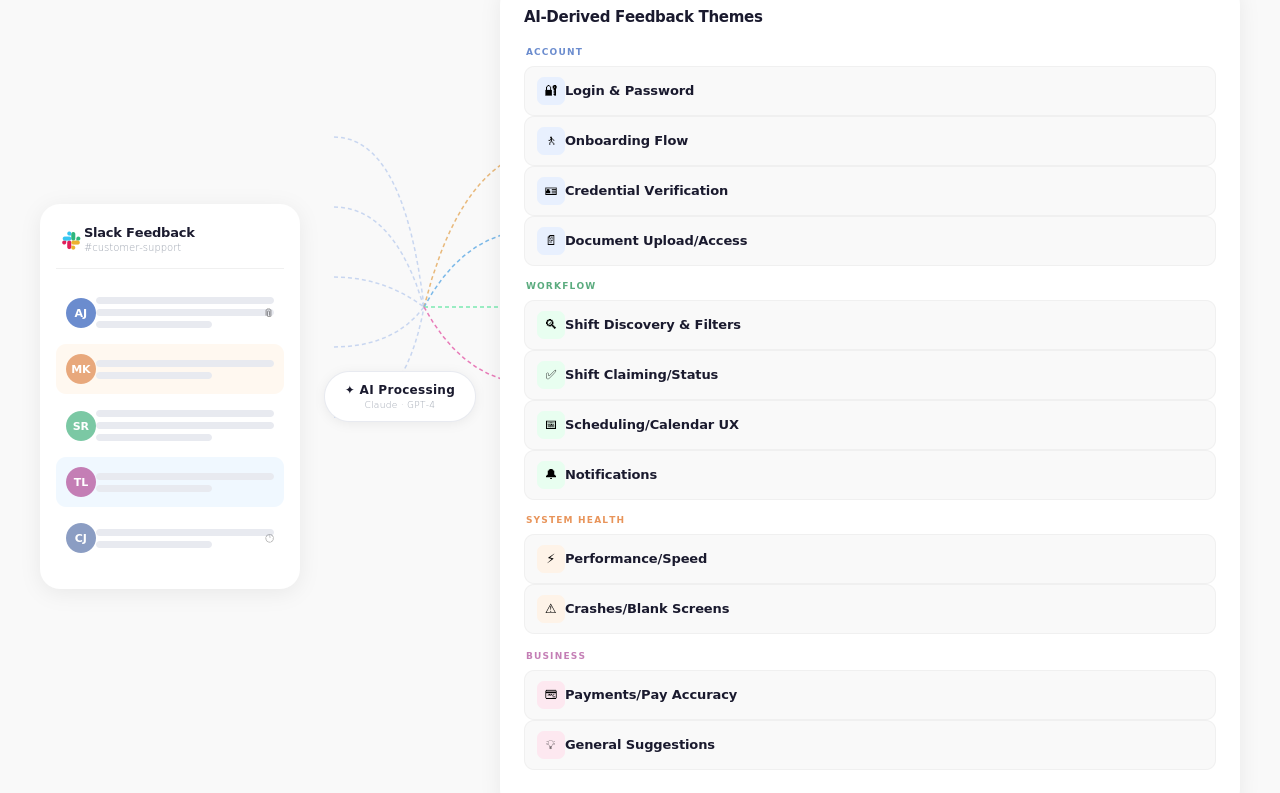
I built a prototype using Replit that connects Slack customer feedback to an AI pipeline, normalizing raw messages into structured themes, flagging urgency, surfacing top issues, and tracking trends over time.
This concept was not developed for a specific client, but it reflects a realistic system that could support product teams in prioritizing work more effectively. It demonstrates how AI can move beyond conversational interfaces and serve as operational decision support within complex product environments.
Impact
The dashboard helps design, product, and engineering teams move from reactive feedback review to structured insight. By surfacing daily activity alongside weekly and long-term trends, it supports clearer prioritization and shared visibility into recurring customer issues. It is not an action or assignment tool, but a decision-support layer for understanding product health over time.
Designing the Intelligence Layer
Rather than relying on generic AI summarization, I defined the system structure intentionally.
I established three primary personas for the dashboard, design, product management, and engineering, each with different visibility needs.
I created a feedback taxonomy of 12 recurring problem themes, along with assignment and urgency levels and review flags to guide prioritization. The AI layer was prompted to normalize incoming Slack messages against this taxonomy, assign urgency based on defined criteria, and surface items requiring design review.
This allowed the dashboard to move beyond simple sentiment analysis and into structured, decision-ready insight.
Co-created with AI
Key Screens & UX Patterns
Overview
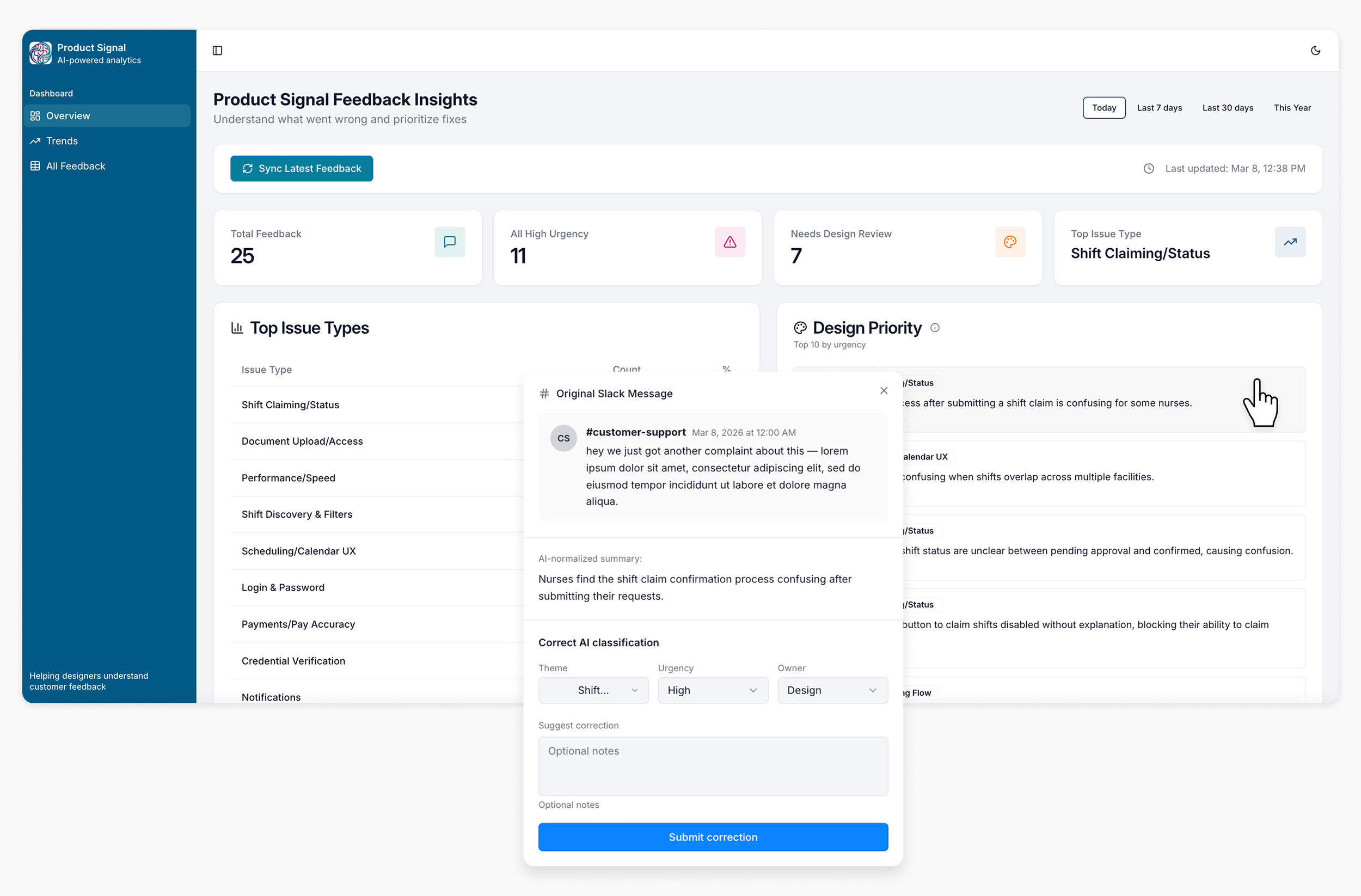
Surfaces normalized customer feedback grouped by issue type, urgency, and design ownership. Updated daily from incoming Slack messages
Each item is clickable, revealing the original Slack message alongside the AI summary so reviewers can verify the model's interpretation
Classification logic is surfaced inline via tooltips so reviewers always understand how urgency and ownership were determined
Users can flag misclassifications directly, correcting theme, urgency, or owner. Keeping humans in the loop and supporting model improvement over time
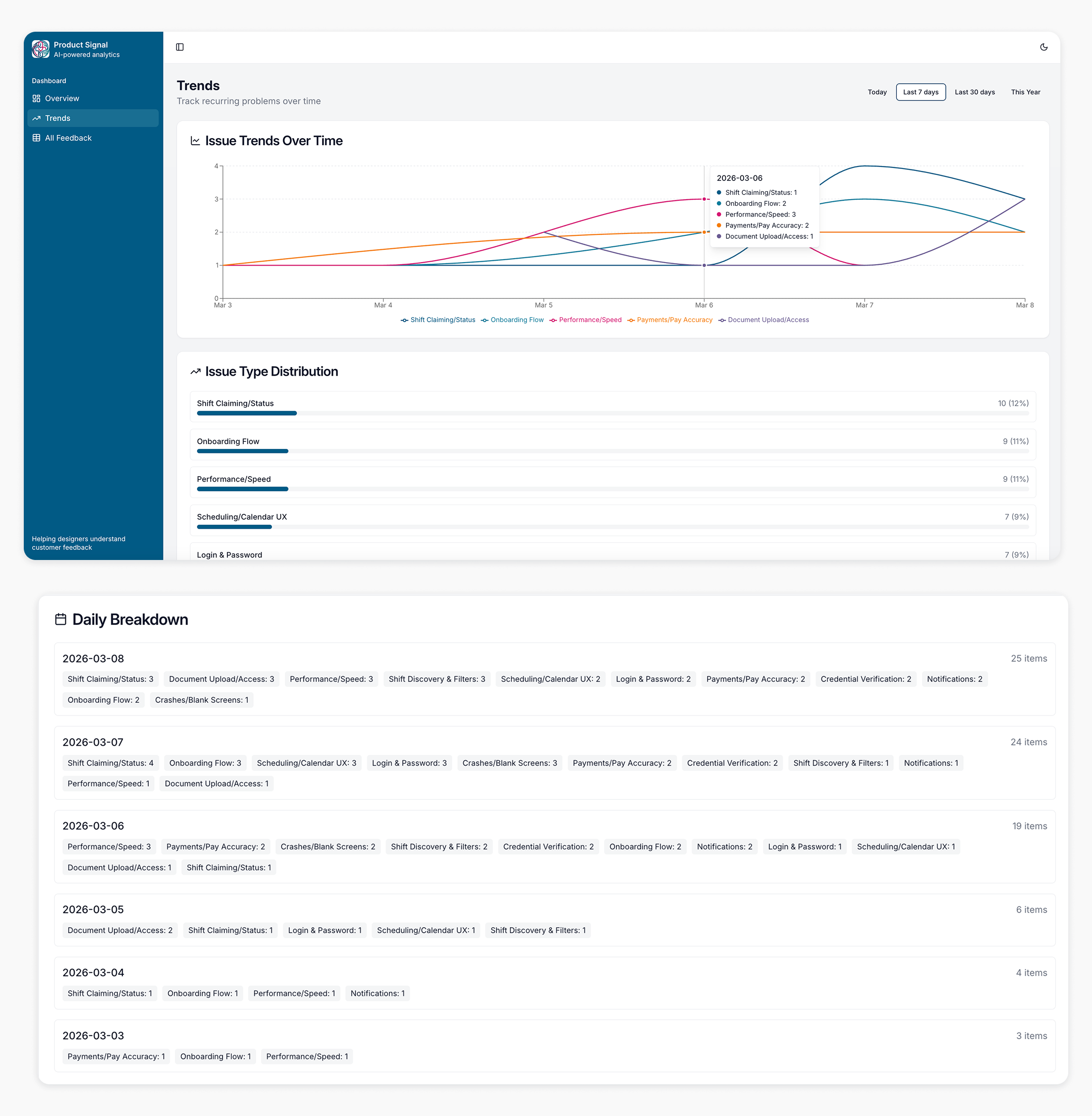
Trends
Tracks issue volume over time across the top 5 categories, making persistent problems visible at a glance
Issue Type Distribution ranks themes by total frequency, showing which problems dominate across the full date range
Daily Breakdown provides a day-by-day record of every category surfaced, giving teams a precise audit trail of what was flagged and when
Time filters let users shift between today, the past 7 days, 30 days, or the full year, supporting both reactive triage and longer-term pattern recognition
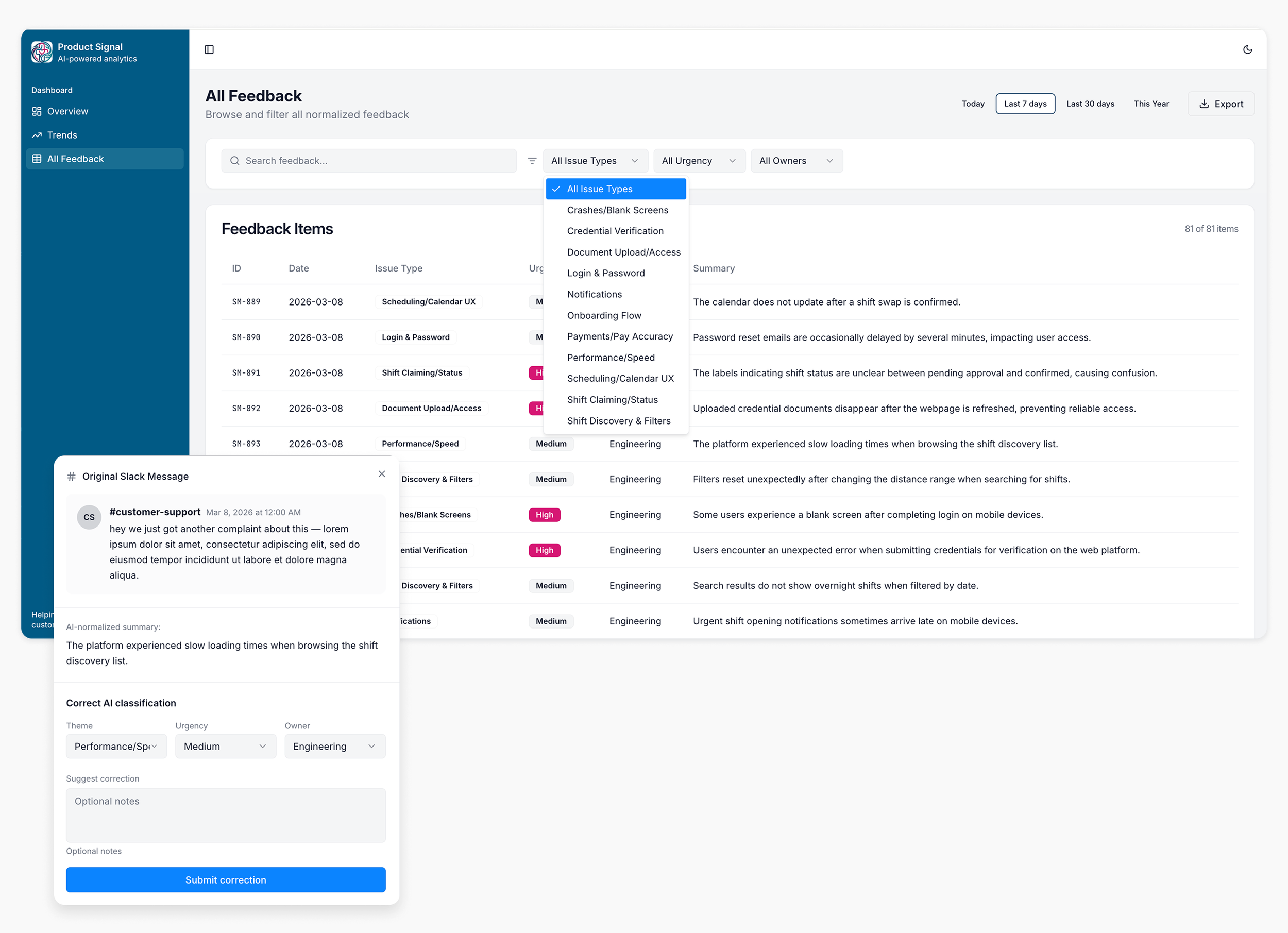
All Feedback
A searchable, filterable table of all normalized feedback items, sortable by issue type, urgency, and owner
Filters let teams quickly isolate what matters to them — a designer can view only Design-owned items, an engineer can filter to High urgency crashes
Clicking any row opens the original Slack message alongside the AI-normalized summary, making the model's interpretation transparent and verifiable
Users can submit corrections directly from the table, adjusting theme, urgency, or owner without leaving the page
Balances automation with human oversight for trust and reassurance
Export to CSV
Challenges
Designing an internal AI tool required balancing automation with transparency. Here are the key challenges and how they were addressed through UX.
| Challenge | UX Solution |
|---|---|
| AI classifications are not always accurate | Users can verify the original Slack message behind any item and submit corrections directly, adjusting theme, urgency, or owner. Keeps humans in the loop without disrupting the workflow. |
| Users may not understand how AI assigns urgency or ownership. | Classification rules are surfaced inline via tooltips on the Urgency and Owner column headers, so reviewers always know how decisions were made. |
| Normalization takes approximately one minute to complete | Added a progress bar with a live item count and toast notifications so users understand the system is working and know when it is done. |
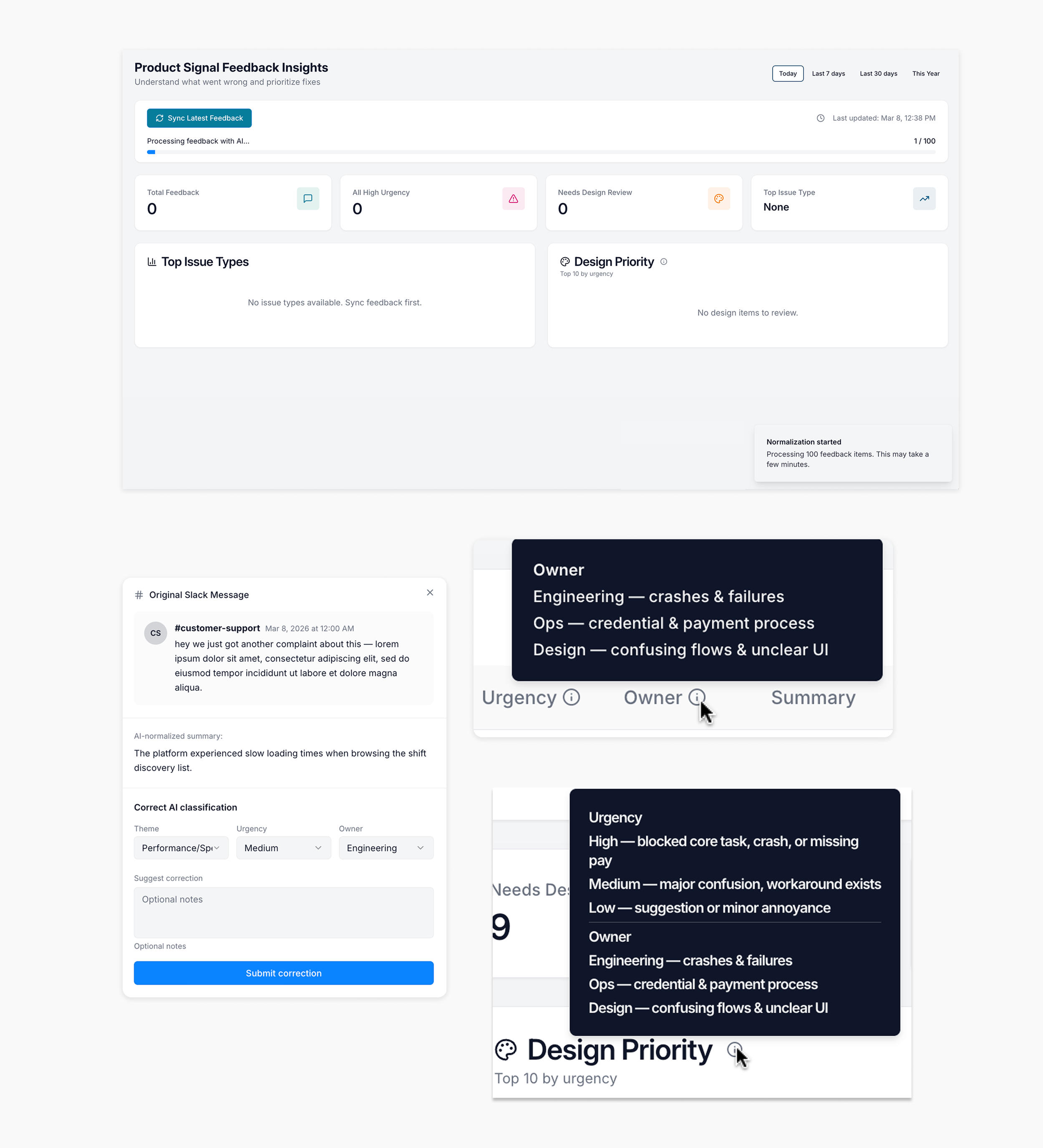
UX Solutions: Progress bar with toast, tooltips for understanding, access original Slack message and correct AI classification